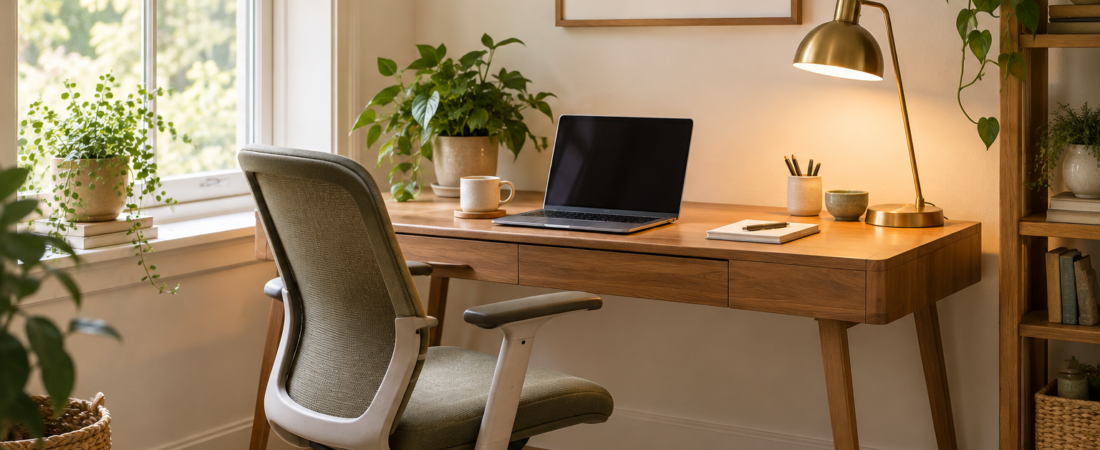
A home workspace does not need a dedicated office to feel organized and useful. It does need somewhere to sit comfortably, enough room for the equipment you use, and a simple way to finish the day. A laptop perched on a crowded dining table may work for a quick task; regular work benefits from a setup designed around your actual routine.
Choose a location by testing the day
Before moving furniture, spend part of a normal workday in the spot you have in mind. Notice daylight, household noise, temperature, and where people walk. A corner that looks calm in a photograph may sit beside a busy doorway. A beautiful window can become a source of glare at the exact hour you need to concentrate.
List your most frequent tasks. Video calls need a reasonably quiet setting and an appropriate background. Paperwork needs a clear surface. Creative work may require room to spread out. Choose a location that supports the task you do most often, then plan how to handle the exceptions.
Measure the equipment you already own
Measure your screen, keyboard, mouse area, and any notebooks or reference material you use every day. Include the chair’s movement and the space needed to sit down. A desk that fits tightly between two walls may leave no room to pull the chair back.
Check outlets and the route cables will follow. Do not run a power cable across a walking route or hide it beneath a rug. Avoid overloading outlets, and follow the equipment and power-strip instructions. If an electrical change is needed, use qualified help rather than improvising a permanent solution.
Arrange the chair and work surface together
A desk and chair should be considered as a pair. Sit with your feet supported and enough space under the work surface for your legs. Bring the keyboard and mouse close enough that you can use them without repeatedly reaching forward. If the chair cannot adjust to the surface, try a different pairing before buying extra accessories.
There is no single arrangement that suits every body or every task. Use small adjustments and notice what feels easier. An uncomfortable position that persists is a reason to review the setup and, when appropriate, seek individual professional advice. Furniture labels alone do not guarantee comfort.
Separate screen height from typing height
A laptop combines the screen and keyboard, which can limit your options. For longer sessions, a separate keyboard and mouse can let you raise the screen while keeping your hands at a useful working height. If you use a stand, choose one stable enough for your device and keep ventilation openings clear.
Position the display where you can read it without leaning forward. Adjust text size before assuming a larger monitor is necessary. Place frequently consulted documents near the display so you are not constantly turning across the desk. If you use two screens, make the screen you use most often the easiest to view.
Control glare before adding brighter lights
Test the screen at different times of day. Turning the desk slightly or adjusting a blind can improve visibility more than increasing brightness. A task lamp should light the work surface without shining into your eyes or reflecting across the display. Position it with the way you write and use the mouse in mind.
Keep a room light available as daylight changes. A bright screen in an otherwise dark corner can be unpleasant to work with. Choose a lighting arrangement you can adjust easily instead of relying on one fixed setting from morning until evening.
Build storage around tasks, not stationery
Keep the items you use daily within convenient reach. Group the rest by activity: incoming paperwork, reference documents, charging equipment, or a particular project. One project folder is often easier to maintain than separate containers for every kind of paper.
Give confidential material a secure place and consider what can be seen during a video call. Put infrequently used supplies elsewhere if they crowd the work surface. A clear desk should make the next task easier, rather than hide everything so thoroughly that you spend the morning searching.
Create a portable version for shared spaces
If you work at the dining table, keep the setup in one tray, tote, or shallow drawer that is easy to carry. Include only the equipment you regularly need. Decide where the laptop goes when meals begin and where any unfinished paperwork can remain safely together.
Time the setup once. If it takes several minutes and multiple trips to begin working, simplify it. A portable workspace should support a real daily transition, not require an elaborate ritual. Leave the shared surface ready for its next use at the end of the session.
Finish with a repeatable shutdown
Write down the next useful task before closing your work. Return loose papers to their project folder, clear cups and rubbish, and put charging equipment back in place. A short shutdown routine reduces the temptation to leave everything spread out because you might return later.
Review the workspace after a week. Which item did you reach for repeatedly? Where did clutter appear? Which part of the day felt awkward? Move one thing at a time so you can tell which change helped. The best small workspace is one you can use comfortably, reset easily, and fit into the rest of your home.